
Comparisons · A clearer next step
Berry vs Town: follow-through or broader delegation?
By the Berry team ·
The short answer
Choose Berry if your immediate need is a source-linked list of commitments on your Mac. Consider Town if you need a broader assistant for delegated work, routines and team collaboration. Berry's end-to-end execution layer is not available in the current pilot.
Written by Berry, one of the products discussed. Based on public documentation checked on 23 October 2026; not an independent review or hands-on benchmark. Product availability can change.
Start with the job, not the assistant's personality
A founder can need two different things: clarity about what they owe people, or an assistant to carry out work across applications. Neither is a lesser need, but they lead to different buying decisions. Compare the result you need this week before comparing mascots or general intelligence.
Town's official site presents a work assistant that learns people, projects and voice. Its business-owner, recruiting and sales examples span connected tools, recurring routines and team collaboration. Its published Granola integration also supports meeting context; meeting-note access is not unique to Berry.
What Berry does today
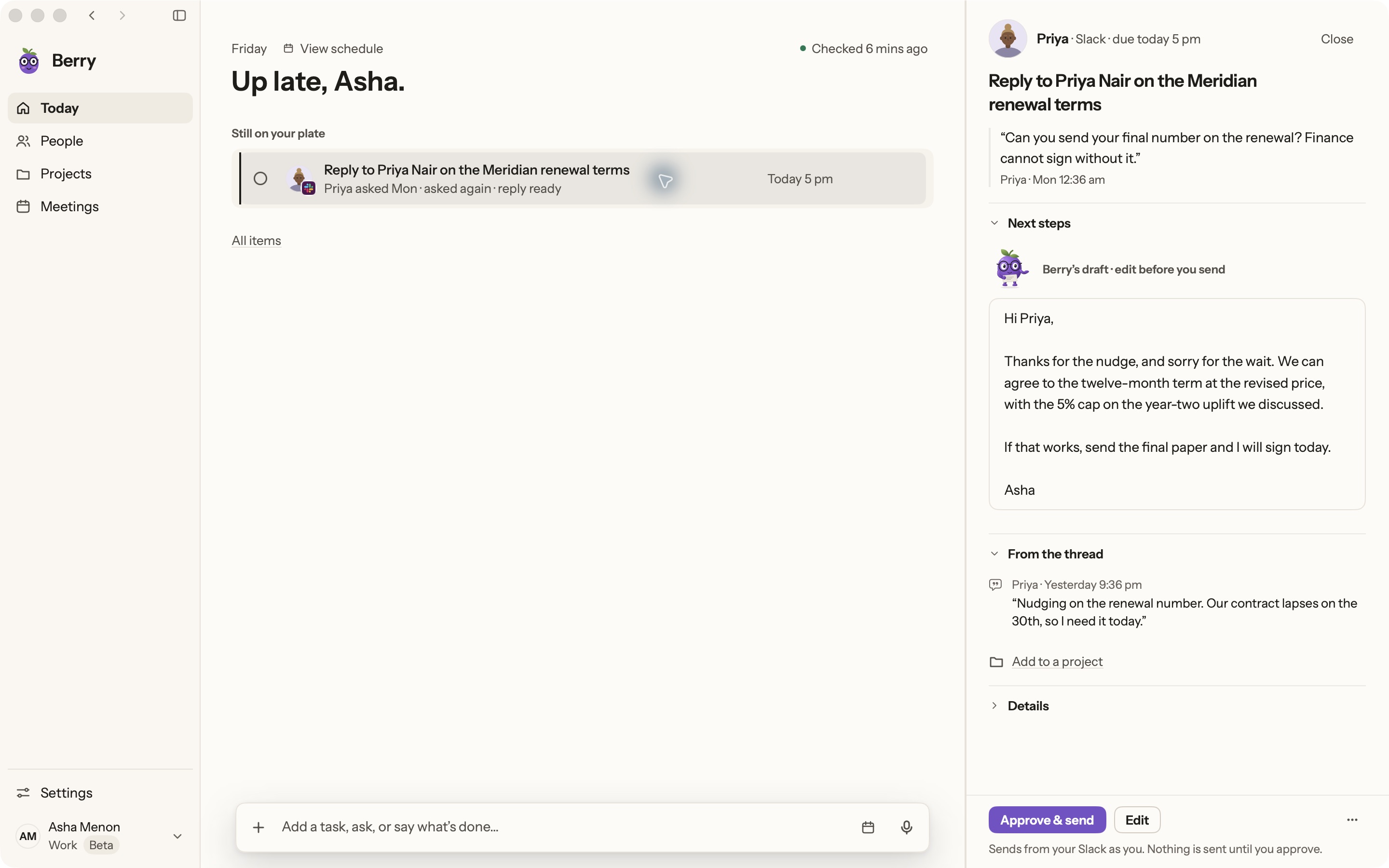
Berry gathers asks, promises and follow-ups from supported connected sources into Today, Waiting, People and Projects. The source stays with the item, so you can check what was actually agreed before responding. This is a private-pilot Mac application, not a shared team CRM.
- Slack: review the exact reply before Berry posts it.
- Gmail: prepare or save a draft; you send from Gmail.
- WhatsApp Desktop: open the conversation; you send the message.
- Calendar: read-only context, not automatic rescheduling.
A useful trial: one client commitment
Use a non-sensitive test conversation: a client asks for a revised proposal after a call. Check whether the assistant identifies the owner correctly, retains the original request, distinguishes your pending reply from the client's pending approval, and shows the proposed action before anything leaves your account.
Then change the situation: the client postpones the decision. Does the tool help you work from the new context, or does it keep encouraging an outdated follow-up? This is a suggested evaluation, not a claim that we have benchmarked Town.
When to choose which
Berry is worth evaluating when you use a Mac, already have Claude Code or Codex, and want to reduce the work of reconstructing commitments across conversations. It requires macOS 14 or later and your own signed-in AI account; provider usage applies.
Town is worth evaluating when broader routines, connected-tool actions or collaboration are central to the purchase. Confirm the relevant integration, permission and plan in Town's current documentation. Do not buy Berry expecting those broader execution capabilities today.
- Need a shared customer pipeline? Evaluate a CRM, not just either assistant.
- Need the assistant to execute a multi-step workflow end to end? That is future work for Berry.
- Need trustworthy context first? Test source quality and correction handling before action speed.
Sources and further reading
Found something outdated? Tell the Berry team.
Start with one real commitment.
Berry is in private pilot. See the real app and its current boundaries before joining.
Mac only · macOS 14+ · runs on your own Claude Code or Codex