
Guides · A clearer next step
How to track client follow-ups across Gmail, Slack and WhatsApp
By the Berry team ·
The short answer
Track the commitment rather than the entire conversation. Keep the owner, next agreed step, relevant date and source together; separate work you owe from replies you are waiting for. Use a daily review to choose which conversations actually need intervention.
The inbox is not the unit of work
A client can ask for a proposal by email, clarify the scope in Slack, and send the final question in WhatsApp. Three unread counters do not tell you whether you still owe a proposal or are waiting for their approval. The useful record is the commitment, with enough context to act on it.
Start with a small ledger, even if it is only a document. Do not turn every message into a task. A question can be informational; a suggestion can be unaccepted; a thank-you can close a conversation without creating anything new.
- Outcome: what specifically needs to happen?
- Owner: you, the client, or someone else?
- Next checkpoint: an agreed date, or a date you choose to review—not an invented deadline.
- Source: the message or meeting note that explains the agreement.
- State: needs you, waiting, or closed; record what changed.
An example: a quote that is not ready for a reminder
Illustrative example: you sent a quote on Monday. The client replied on Tuesday asking whether setup was included. A reminder to 'follow up on the quote' misses the point—you owe an answer before the client can decide.
The useful next action is to answer that specific question, then agree a decision checkpoint. If the client instead says they are waiting for budget approval, your state changes to Waiting. Avoid sending the same generic reminder in both cases.
A follow-up that makes a decision easier
Try: 'You mentioned needing confirmation on the setup before deciding. It is included in the quoted scope. Is anything else unresolved, or would it help to revisit next week?' Adapt the wording to the actual conversation; do not invent a hold deadline or claim the client promised something they did not.
Keep commercial records in the right system. A commitment list is not your invoice ledger, signed contract or shared CRM. If you need team assignments, customer access controls or a formal sales pipeline, choose software built for those jobs.
Where Berry can reduce the manual work
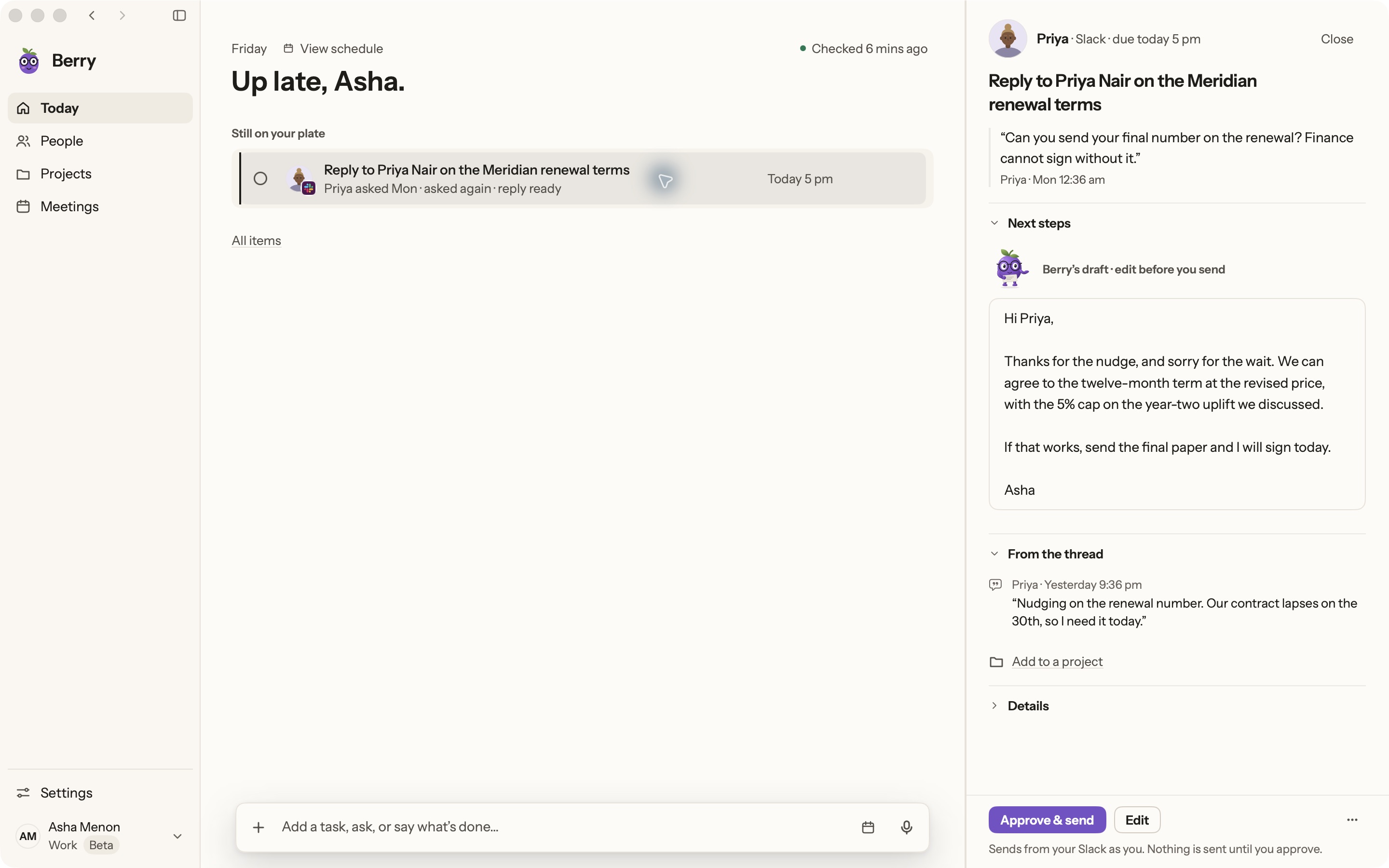
Berry gathers commitments from supported Gmail, Slack and WhatsApp Desktop conversations and preserves source context. Review Today for work that needs you and Waiting for items dependent on someone else. Check the source before acting, particularly when names, dates or ownership are ambiguous.
Berry is a Mac-only private pilot requiring macOS 14+ and your own Claude Code or Codex account. It posts Slack replies only after exact-text approval, prepares Gmail drafts you send, and opens WhatsApp for you to reply. It does not run an autonomous sales sequence. Source coverage depends on permissions and sync; the WhatsApp catch-up does not cover your entire history.
Sources and further reading
Found something outdated? Tell the Berry team.
Start with one real commitment.
Berry is in private pilot. See the real app and its current boundaries before joining.
Mac only · macOS 14+ · runs on your own Claude Code or Codex